Sign Up for JurisContent
Getting started is easy! We offer everyone the chance to experience our amazing platform with a 7-Day Free Trial!
Simply follow these steps to create your account:
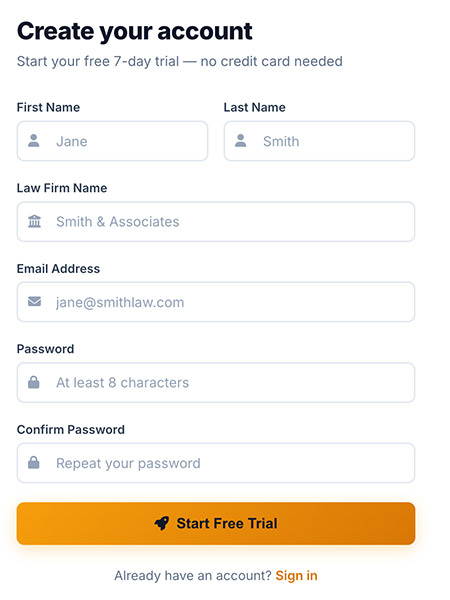
- On our Home Page, click anywhere you see "Start Free Trial".
- Fill in your details: First & Last Name, Law Firm or Agency Name, Email, and Choose a Password.
- Click the Start Free Trial button.
Verify Your Email
After signing up, you'll receive a verification email. Click the link in the email to activate your account.
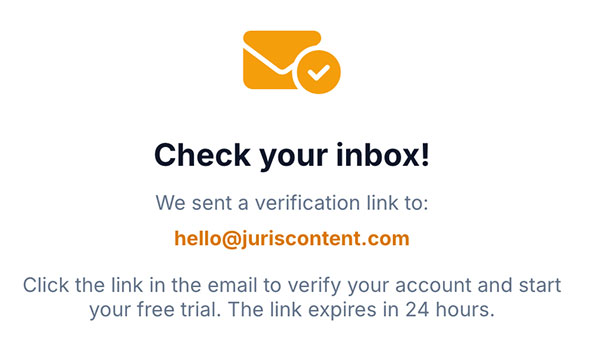
💡 Tip: Check your spam/junk folder if you don't see the email within a few minutes.
First Login
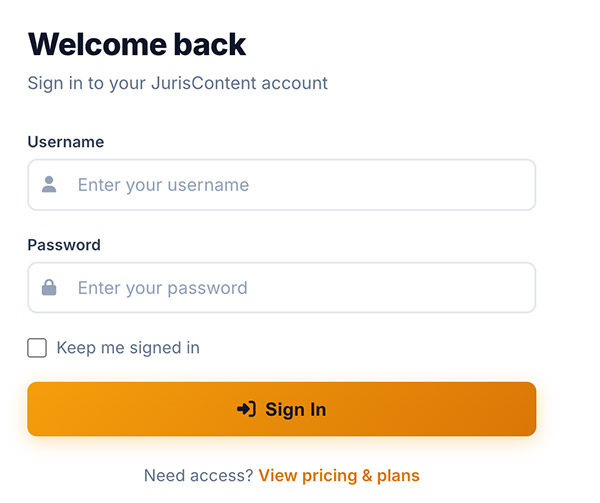
- Go to juriscontent.com/login.php.
- Enter your email and password.
- Check "Keep me signed in" if you'd like to stay logged in.
- Click Sign In.
What's Next?
After logging in, you'll be taken through the Onboarding Wizard. This helps us personalize your experience and allows you to provide important details required to write awesome content!
See the next article: Completing the Onboarding Wizard.